
I spend my weeks criss-crossing Melbourne from Clayton South industrial estates to Collins Street boardrooms and I keep seeing the same story play out. Smart, fast-growing teams hit a wall because their tech can’t keep pace. When that happens, it’s not just an inconvenience; it’s costly downtime, security exposure, and missed opportunities. That’s precisely where Managed IT Services, paired with practical IT Support and right-fit IT Solutions, change the trajectory. With the right blend of Cloud Services, Server Installations, and Cloud Computing strategy plus grounded, Melbourne-savvy execution you stop firefighting and start compounding gains.
What I’m seeing on the ground
I’ve walked into warehouses where Wi‑Fi dropouts halve pick rates, and professional services firms still nursing an old Exchange Server like a family heirloom. I’ve sat with CFOs trying to decode surprise Azure bills and directors who can’t answer, “If the power goes out in Dandenong tomorrow, how fast can we recover?” If any of the following signs sound familiar, it’s time to get serious about Managed IT Services and upgrade the calibre of your IT Services, end to end.
Sign #1: Recurring outages, slow systems, or Wi‑Fi dropouts are stalling your Melbourne operations
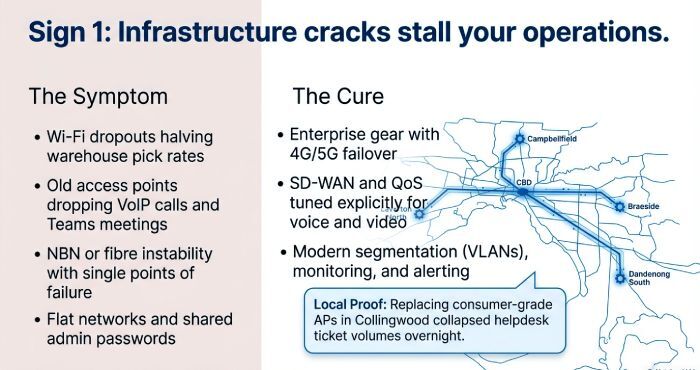
When teams are staring at spinning wheels instead of serving customers, productivity drains away fast. In Melbourne, I often trace this to NBN or fibre instability, aging switches, or misconfigured networks that were never designed for today’s load.
Common culprits in Melbourne networks
- Dropped VoIP calls and Teams meetings because old access points can’t handle density
- Single points of failure in switching, plus no redundancy in Server Installations
- Legacy Windows Server builds running file shares on creaky hardware with zero monitoring
NBN and fibre reality
Melbourne links can be solid, but only when Network Solutions include proper failover, think 4G/5G backup, SD‑WAN, and QoS tuned for voice and video.
Aging switching and Wi‑Fi
I’ve replaced fleets of consumer-grade APs in Collingwood with enterprise gear and watched ticket volume collapse overnight. Helpdesk queues fell, Remote IT Support stabilised, and Onsite IT Support became strategic, not reactive.
Misconfiguration patterns
Flat networks, shared admin passwords, no VLANs these are invitations to trouble. Modern IT Solutions bake in segmentation, monitoring, and alerting so issues get fixed before users feel them.
Sign #2: Security gaps no MFA, delayed patching, admin account sprawl, or recent phishing scares put you at risk under Australia’s NDB scheme and Essential Eight
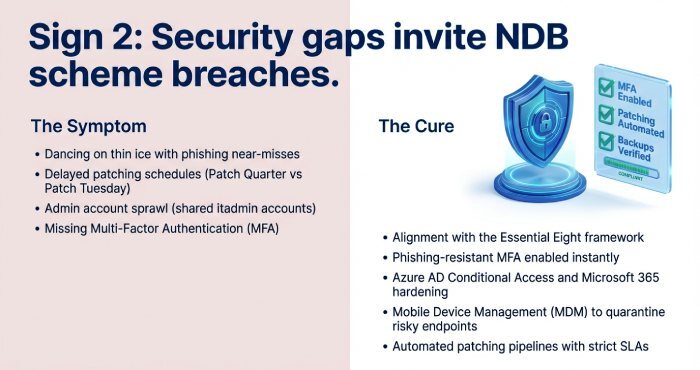
If you’ve had a phishing near-miss or you’re still “planning” to turn on MFA, you’re dancing on thin ice. Under the NDB scheme, sloppy controls can quickly turn into reportable breaches.
Essential Eight in practice
A strong IT Security posture starts with a Security Assessment, then enforces controls using Microsoft 365 and Office 365 hardening, Azure AD Conditional Access, and Endpoint Detection across every device. I lean on Mobile Device Management to quarantine risky phones and laptops, while Certified Technicians lock down admin sprawl and enforce patching SLAs. When Amazon AWS or Google Cloud workloads enter the mix, I insist on parity controls, same logging, same alerting, same standards. With the right Managed IT Services, you get continuous IT Maintenance, threat intel feeds, and playbooks that actually get followed.
MFA and admin hygiene
I’ve migrated firms off shared “itadmin” accounts and turned on phishing-resistant MFA in a single weekend instant risk reduction.
Patching cadence
If “Patch Tuesday” becomes “Patch Quarter,” you’re exposed. Automated Cloud Services pipelines and clear maintenance windows keep you compliant and resilient.
Sign #3: Hybrid teams and rapid growth are outpacing in-house IT
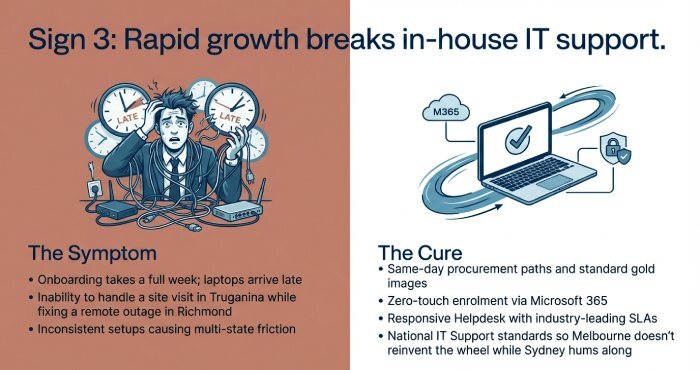
When onboarding takes a week, laptops arrive late, and no one can support a site visit in Truganina while handling a remote outage in Richmond, something’s got to give.
Scaling support for hybrid teams
This is where Business IT Support levels up: same-day Procurement paths for standard builds, gold images for Server Installations and laptops, and zero-touch enrolment through Microsoft 365 and Office 365. I implement Mobile Device Management, so phones don’t become blind spots, then layer in Remote IT Support for speed and Onsite IT Support for the moments that matter.
A responsive Helpdesk with Industry‑leading Support SLAs makes the difference between “Can someone help me?” and “Already fixed.” For multi-state teams, National IT Support keeps standards consistent, so Melbourne isn’t reinventing the wheel while Sydney hums along.
Sign #4: Compliance pressure is mounting APPs, client ISO 27001 requests, cyber-insurance questionnaires, and audit trails you can’t easily produce
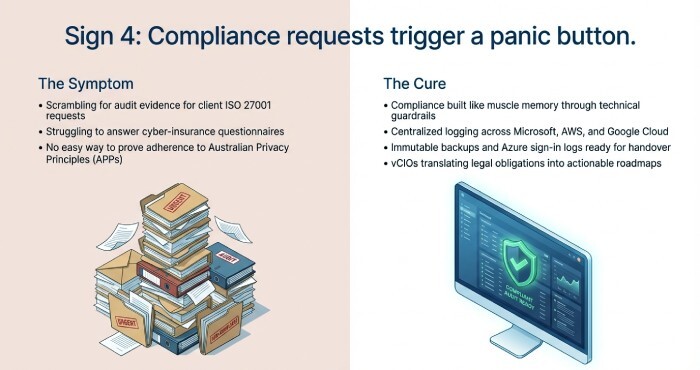
If you’re scrambling for audit evidence, you don’t have a process, you have a panic button.
Turning obligations into routines
I build compliance like muscle memory: map controls to the Australian Privacy Principles, document change via Azure DevOps or equivalent, tag assets in Server and Storage, and centralise logging across Microsoft, Amazon AWS, and Google Cloud estates. Consultants and IT Consultancy services help translate legalese into technical guardrails. Your Virtual CIO (vCIO) role then turns it into roadmaps and training.
I’ve seen Professional Services firms win bigger contracts simply by being able to hand over clean audit trails proof from Azure sign‑in logs, Exchange Server retention, and immutable backups. That’s Managed IT Services done right.
Sign #5: IT spend is unpredictable cloud creep in Microsoft 365/Azure, duplicate SaaS, surprise hardware failures
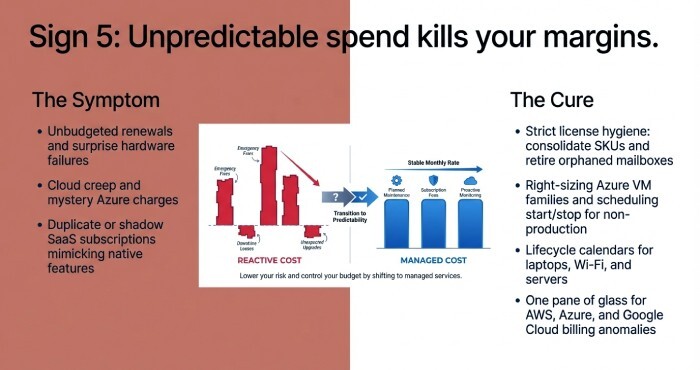
Unbudgeted renewals and mystery Azure charges are silent margin killers.
Cost clarity in Cloud Computing
I start with license hygiene in Microsoft 365 and Office 365, retire orphaned mailboxes, right-size Azure VM families, and push archival tiers in Storage Solutions. A seasoned Cloud Solutions Provider can unify AWS, Azure, and Google Cloud billing while giving you one pane of glass for cost anomalies.
License hygiene and spend control
- Consolidate SKUs; eliminate shadow SaaS that mimics native Microsoft 365 features
- Schedule Azure start/stop for non‑production; apply reservations where it pays off
- Treat Server Installations as a business decision: replace when maintenance plus downtime exceeds as‑a‑service alternatives
Procurement, planned
With disciplined Procurement and Infrastructure Planning, you stop emergency buys. I use lifecycle calendars for laptops, Wi‑Fi, and Server and Storage, so cash flow isn’t held hostage by failures.
Sign #6: Your IT is reactive, not strategic ticket backlogs, poor documentation, vendor chaos, and no roadmap or vCIO guidance
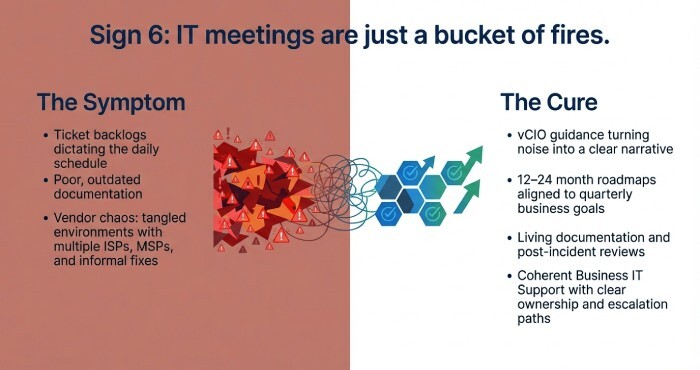
If your IT meeting is just a list of fires, you don’t have a strategy you have a bucket.
From tickets to roadmap
A capable Virtual CIO turns noise into a narrative: align quarterly initiatives to business goals, schedule IT Maintenance windows, drive vendor consolidation, and map dependencies across Communication Solutions, Cloud Services, and on‑prem Server Installations.
I publish living documentation, run post‑incident reviews, and set 12–24 month roadmaps. When Office Relocations pop up, Field Services execute without drama because the plan already accounts for circuits, Network Solutions, and security zoning.
Vendor mapping that sticks
I’ve untangled environments with five ISPs, three MSPs, and a “friend who knows servers.” The fix: coherent Business IT Support with clear ownership, escalation paths, and measurable outcomes.
Sign #7: Backups and disaster recovery are untested RTO/RPO unknown, no 24/7 monitoring, unclear AU data sovereignty
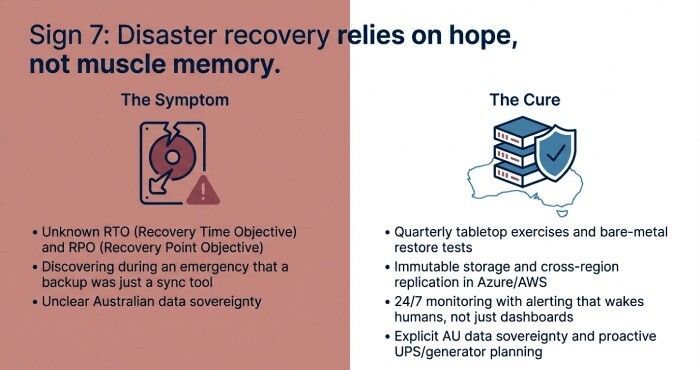
Hope is not a Disaster Recovery strategy. I’ve run tabletop exercises where teams discovered their “backup” was just a sync tool and watched faces fall.
Proving your Disaster Recovery
Define RTO/RPO, tag critical apps, and run quarterly restores you can actually watch. In Azure, use immutable storage and cross‑region replication; in Amazon AWS and Google Cloud, mirror the rigor. For on‑prem Server Installations especially Windows Server and legacy Exchange Server test bare‑metal restores and document the exact runbooks. IT Continuity isn’t a binder; it’s muscle memory built by repetition.
RTO/RPO you can defend
- 24/7 monitoring with alerting that wakes humans, not just dashboards
- AU data sovereignty is explicit in contracts and architecture diagrams
- Generator and UPS planning for power and storm outages is common across Melbourne’s outer suburbs
I’ve seen partners like IT Switch in Clayton South deliver crisp outcomes here combining Professional Services designs, Field Services deployment, and steady‑state IT Support to keep recovery time targets real, not theoretical. When you need deeper cloud architecture, bring in an AWS Consulting Partner for multi‑region patterns while your core Managed IT Services team keeps the lights on.
I’m blunt about this: the businesses that win treat IT Services as a growth engine, not a cost sink. They Outsource IT with intent, choose Consultants who can execute, and insist on Certified Technicians. They demand clear Technology Solutions, not vague promises. In Melbourne’s pace, that’s the difference between scrambling and scaling.
How Managed IT Services change the picture (and why now)
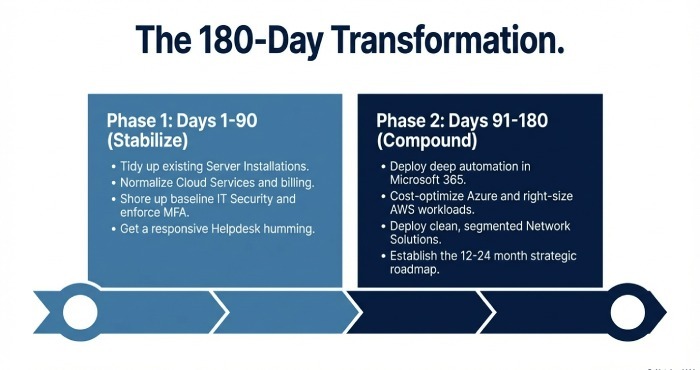
When I embed with a client, the first 90 days are about stabilising: tidy Server Installations, normalise Cloud Services, shore up IT Security, and get a Helpdesk humming. The next 90 days are where returns compound Automation in Microsoft 365, cost-optimised Azure, right-sized AWS, rationalised Google Cloud, and clean Network Solutions. By then, you feel the shift: fewer surprises, faster projects, and an IT roadmap you can explain to the board.